Wingo Game Results Not Updating? 7 Causes and Fixes
Wingo Game results not updating or showing the wrong period? Discover seven common causes, simple troubleshooting steps, and tips for checking result history.
In this article
- Wingo Game Results Not Updating? 7 Common Causes and Fixes
- Why Are Wingo Game Results Not Updating?
- 1. Check Your Internet Connection
- How to troubleshoot
- 2. Refresh the Wingo Game Page
- How to fix it
- 3. Check the Selected Wingo Game Mode
- What should you check?
- 4. Wait for the Result to Finish Loading
- What to do
- 5. Clear Your Browser Cache
- How to clear the cache in Chrome
- 6. Check Your Phone's Date and Time
- Android troubleshooting
- 7. Check for Server or Website Problems
- What can you do?
- How to Check Wingo Game Result History Correctly
- Period number
- Result number
- Colour result
- Completion status
- Can Previous Wingo Results Predict the Next Round?
- What If Wingo Results Still Do Not Appear?
- Frequently Asked Questions
- Why are my Wingo Game results not updating?
- Why does the Wingo countdown reach zero without showing a result?
- How can I refresh Wingo result history?
- Can my phone's time affect the Wingo countdown?
- Are Wingo previous results useful for predicting future colours?
- Should I install another APK if the Wingo website stops working?
- Does refreshing the page change a completed Wingo result?
- Final Thoughts
Wingo Game Results Not Updating? 7 Common Causes and Fixes
Are your Wingo Game results not updating even after the countdown reaches zero? You are not the only person who may encounter this type of problem.
Sometimes, the result history appears frozen. In other cases, the countdown finishes but the latest period number does not change. A result may also appear late because the browser is showing outdated information.
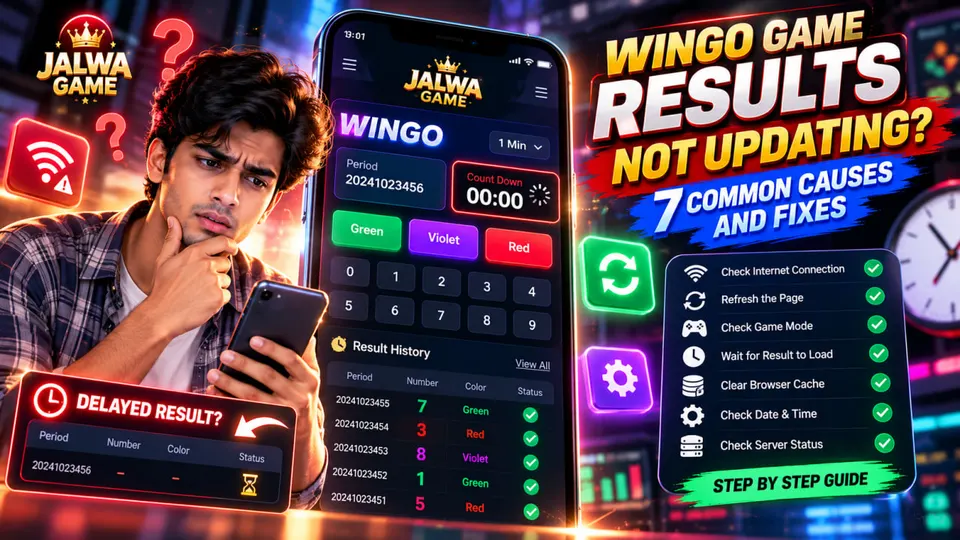
Quick answer: Wingo Game results may appear delayed because of internet connectivity issues, cached pages, server response delays, incorrect game modes, or a mismatch between the countdown and result history. Start by refreshing the page, checking your connection, and confirming the correct period number.
This guide explains seven possible reasons behind Wingo result display problems and how to troubleshoot them.
Why Are Wingo Game Results Not Updating?
Online games with countdown timers often depend on communication between a browser and a remote server.
When everything works correctly, the interface retrieves new information and displays the latest completed round.
However, a delay in that process can make the page appear outdated.
Here is a quick overview.
| Problem | Possible Cause | Suggested Check |
|---|---|---|
| Results are frozen | Cached page or connection issue | Refresh the page |
| Countdown reaches zero | Result has not loaded | Wait for the completed result |
| Wrong period displayed | Incorrect game mode | Check the selected mode |
| History is missing | Temporary data-loading issue | Reload result history |
| Timer looks incorrect | Device clock or sync issue | Check automatic time settings |
| Result loads slowly | Network or server delay | Try another connection |
| Page stops responding | Browser or script error | Restart the browser |
These are general troubleshooting possibilities, not confirmed faults in any particular Jalwa Game service.
1. Check Your Internet Connection
One of the first things to examine is your internet connection.
A browser may successfully display the game interface but fail to retrieve updated result data when connectivity becomes unstable.
How to troubleshoot
- Open another website to confirm that your internet is working.
- Switch between Wi-Fi and mobile data if available.
- Reload the Wingo page.
- Check whether other sections of the website update normally.
If other websites are also loading slowly, the problem may be related to your network rather than the game itself.
2. Refresh the Wingo Game Page
Sometimes, the browser continues displaying information from an earlier session.
As a result, the countdown, recent results, or period information may not appear current.
How to fix it
Try a normal page refresh first.
On Windows, you can press Ctrl + R to reload the page.
If the issue continues, close the affected tab and open the website again using its verified address.
Remember that refreshing the interface does not change an already completed game result. It only requests the latest information available to your browser.
3. Check the Selected Wingo Game Mode
Some Wingo-style interfaces offer different round durations.
Common examples include:
- Wingo 30-second rounds
- Wingo 1-minute rounds
- Wingo 3-minute rounds
- Wingo 5-minute rounds
The available durations depend on the particular platform.
If you are viewing one mode while comparing results from another, the period numbers and countdown values may not match.
What should you check?
Confirm the selected game mode before examining the result history.
For example, a result belonging to a one-minute round should not automatically be compared with a result from a 30-second round.
Each mode may follow its own period sequence.
4. Wait for the Result to Finish Loading
A countdown reaching zero does not always mean that the final result has already appeared in the interface.
The server may need additional time to process or return the completed round information.
This can create a brief gap between the countdown ending and the result becoming visible.
What to do
Check whether the previous period is marked as completed.
If the result is still missing, allow the page to finish loading and refresh when appropriate.
Do not assume that a missing result is a particular colour or number.
A pending result and a confirmed result are not the same thing.
5. Clear Your Browser Cache
Browsers store temporary website files to help pages load faster.
Occasionally, outdated cached content can contribute to display problems.
How to clear the cache in Chrome
- Open Google Chrome.
- Go to Settings.
- Select Privacy and security.
- Open Delete browsing data.
- Select Cached images and files.
- Delete the selected cached files.
- Reopen the relevant website.
You can also test the page in a private browsing window.
Be aware that deleting cookies or site data may sign you out of websites, so avoid selecting those options unless necessary.
6. Check Your Phone's Date and Time
An incorrect device clock can sometimes make a timer appear inconsistent.
This is especially relevant when a website uses local device time for part of its display.
However, some interfaces use server-based timing, so changing your phone clock will not necessarily fix a server-side problem.
Android troubleshooting
Open your device's date and time settings and enable automatic date and time where supported.
Then reopen the browser and check whether the displayed countdown is consistent.
If the issue remains, the source may be the website's timing system rather than your device.
7. Check for Server or Website Problems
If multiple sections of a website fail to load, there may be a temporary service issue.
Possible symptoms include:
- Result history failing to load
- Repeated connection errors
- An unresponsive countdown
- Missing period information
- A page that repeatedly reloads
What can you do?
Check whether the website provides a verified service notice or support channel.
Avoid downloading alternative APK files from random websites just because the normal page is temporarily unavailable.
An unofficial application may expose your device or personal information to unnecessary security risks.
How to Check Wingo Game Result History Correctly
Result history is useful for checking what was displayed in completed rounds.
When reviewing a record, focus on the following information.
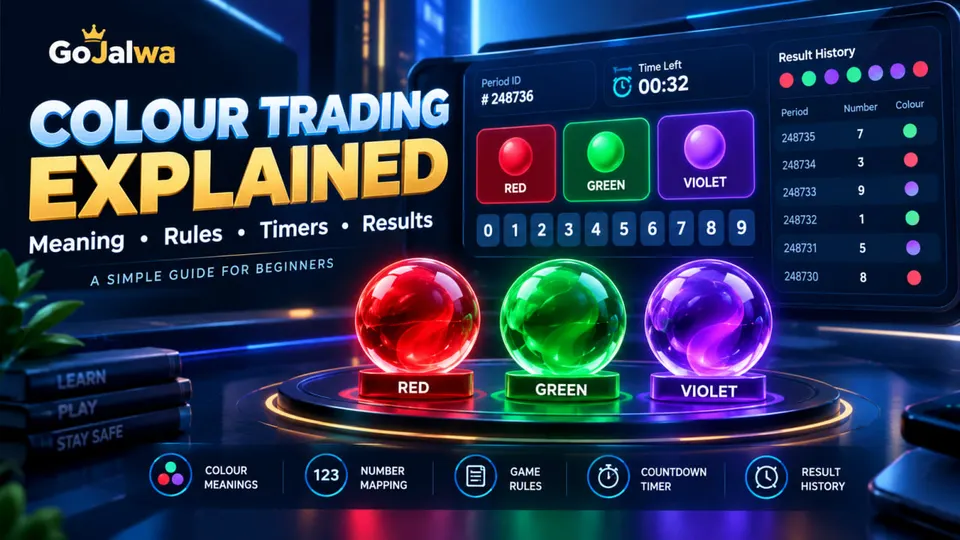
Period number
A period number identifies a particular round.
Two results from different periods should not be treated as the same record.
Result number
Some Wingo-style interfaces display a numerical result for each completed round.
Colour result
Depending on the game's rules, a number may correspond to a particular colour.
Completion status
Check whether the period has a final result or is still waiting for confirmation.
Important: Historical results are useful for reviewing completed rounds, but they do not guarantee future outcomes.
Can Previous Wingo Results Predict the Next Round?
A common misunderstanding is that previous results reveal what must happen next.
For example, someone may see Green appearing several times and assume Red is guaranteed to appear in the following round.
That assumption is unreliable.
When outcomes are independent and random, previous results do not force a particular future result.
Result history should therefore be treated as historical information rather than proof of a winning prediction method.
Be cautious of websites, bots, or Telegram groups claiming guaranteed accuracy.
What If Wingo Results Still Do Not Appear?
If the basic fixes do not work, review these additional details.
Browser compatibility: Try an updated version of Chrome, Firefox, or another supported browser.
Device problems: Restart the browser or device if the page has stopped responding.
Website address: Verify that you are using the intended website rather than a copied or misleading domain.
Support information: Check the platform's verified help resources if available.
Avoid sharing account passwords, one-time passwords, or banking details with unofficial support contacts.
Frequently Asked Questions
Why are my Wingo Game results not updating?
Possible reasons include an unstable connection, cached website data, server response delays, or an incorrect selected game mode.
Why does the Wingo countdown reach zero without showing a result?
The interface may still be waiting for the completed result to load. A countdown ending and a final result appearing are separate events.
How can I refresh Wingo result history?
Reload the website, check your connection, and confirm that the selected game mode matches the results you are viewing.
Can my phone's time affect the Wingo countdown?
It can affect some locally displayed timers. Interfaces synchronized directly with server time may behave differently.
Are Wingo previous results useful for predicting future colours?
Previous results can show historical outcomes, but they cannot guarantee what colour or number will appear in the next independent random round.
Should I install another APK if the Wingo website stops working?
Avoid unknown APK files. Verify the developer, source, permissions, and authenticity before installing any application.
Does refreshing the page change a completed Wingo result?
No. Refreshing only reloads the information available to the browser. It does not change a final result stored by the platform.
Final Thoughts
Wingo Game results not updating can be frustrating, particularly when a countdown finishes but the latest record is still missing.
In many cases, the first troubleshooting steps are straightforward: check the internet connection, reload the page, confirm the selected game mode, and review whether the latest period has actually completed.
If the issue continues, examine browser settings or look for verified service information.
Most importantly, do not confuse delayed results with predictable outcomes. Historical game records are not a guarantee of future results.
Editorial note: This article provides general technical guidance about Wingo-style interfaces. It does not verify the availability, operation, or legality of any specific real-money gaming platform, and it does not provide betting recommendations.